
Inbox for agent results
Collect reports, monitor alerts, and subscriptions in one user-bound notification space.
Login
Use an email code or email password. Web sign-in runs a safety check first.
PushNow
Your attention is finite. Give it to what matters.
The world always has something to say. You decide when to listen.
Product
Route agents, monitors, and subscriptions into one inbox pipeline, then let the user decide what deserves interruption.
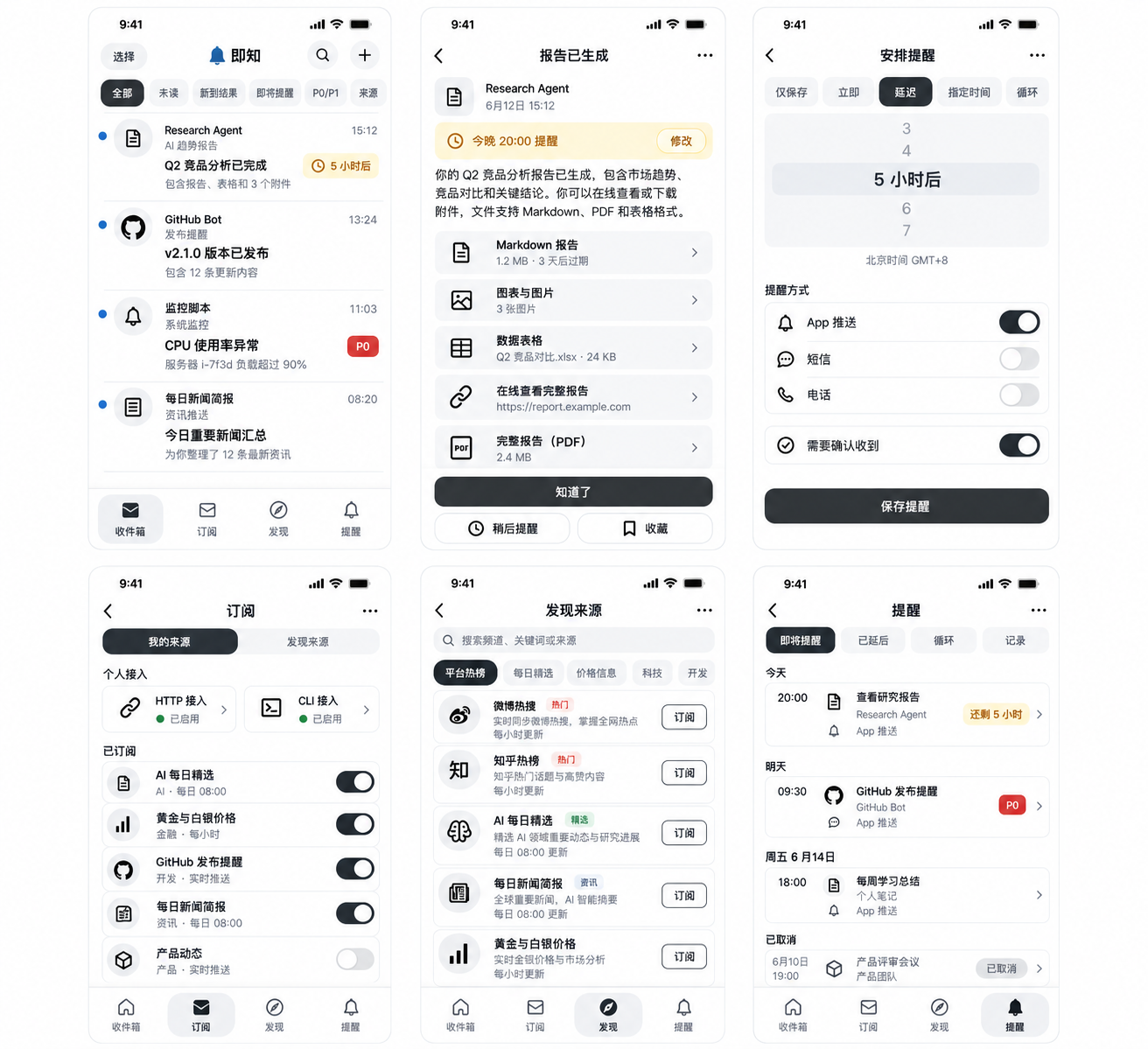
Collect reports, monitor alerts, and subscriptions in one user-bound notification space.
Use normal, important, urgent, or custom levels for different kinds of work.
Choose whether an item should notify the device or wait quietly inside the app.
Create scoped keys for agents, CLIs, and webhooks without sharing account credentials.
Workspace
Capture context, authorize devices, and document integrations with Markdown.
Store title, body, priority, source, idempotency key, and push preference with every item.
Signed-in iPhones and APNs tokens are bound to the verified user.
Free gets 50, Plus gets 500, and Pro gets unlimited daily items with entitlement checks.
Plans
Free includes 50 notification items per day. Plus is CNY 8/month for 500 items per day. Pro is CNY 18/month for unlimited daily items, subject to platform and abuse limits.
Review the membership screen for the products, currency, billing period, and limits currently available to your App Store account. Confirm the purchase sheet before subscribing and use Restore Purchases if access is missing after reinstalling. Website examples are not a substitute for the current store price or entitlement state.
For personal trials and light agent usage.
For several workflows and higher notification volume.
For heavy workflows, subject to platform and abuse limits.
Docs
Docs are backed by local Markdown files, with code blocks and clickable API request panels.
import { sendNotification } from 'pushnow-sdk';

// config: account-approved sender credentials
await sendNotification(config, {
  title: 'Build finished',
  body: 'Ready to review.',
  links: ['https://example.com/build/42'],
});PushNow is an iOS inbox for results from AI agents, scripts, monitoring tools, and other automations. A sender submits a message to your account so you can review the result on your phone. Use it for a finished build, a monitoring event, or a report that deserves your attention, with a link back to the original context.
Questions about PushNowSend results that your automation produces: build summaries, monitoring events, research notes, or scheduled reports. Messages can carry a title, body, and links to the source. The content guide documents file and media handling and the limits that apply; PushNow does not create or verify the underlying report for you.
No. API acceptance, inbox storage, push delivery, and a visible notification are different steps. Check the inbox and the actual device. Network conditions, notification permissions, Focus settings, and preview processing can change when and how an alert appears. Do not use PushNow as the only channel for emergency or safety-critical alerts.
Pushnow uses email login, stores user-bound sources and device tokens, and keeps active reminders to App push or in-app viewing only.

Use email login, source keys, and App push to send the right message to the right device.